The best wedding photo sharing apps, honestly.
Seven wedding photo sharing apps do the job well in 2026: GuestPix, Kululu, POV, WedUploader, GuestCam, Wedibox, and Glint (glint.pics), each collecting the photos guests take on their phones into one place. The seven differ most in three things that outlast the wedding: what they cost, where your photos actually live, and how long they survive there. This guide compares all seven on exactly those terms.
Full disclosure, before anything else: Glint wrote this guide, and Glint makes one of the seven apps on it. We have not ranked anything and there are no star ratings. Where a rival is the better fit, we say so.
By Hashim Salem, founder of Glint · Updated
Quick picks, in page order, not ranked
- POV
- Best for the disposable-camera party vibe
- POV's guests shoot through a shared event camera or upload from their camera roll, photos only and no video, and the price scales by guest count: free for up to 10, then from $4.99 for 25 guests to $89.99 for 250.
- GuestPix
- Best for a polished hosted gallery
- GuestPix sells one-time packages from $49 (USD), with a live slideshow and an original-resolution ZIP in every paid package.
- Kululu
- Best for a flat-price hosted gallery
- Kululu charges a flat one-time $39 (Plus) or $99 (Pro) for a hosted gallery, saved for 3 months (Plus) or 1 year (Pro) and then removed automatically.
- WedUploader
- Best for storage you own, where the files never expire
- WedUploader delivers guest uploads into your own Google Drive, and its gallery and live slideshow come in one $49 premium package.
- Glint
- Best for never-expiring originals in storage you own and every feature at one flat price
- Glint (glint.pics) delivers every photo and video into your own Google Drive at original quality, where the files never expire and you can download the whole event folder at once, and starts with a free plan that takes video too, with up to 50 uploads over 30 days; one $29 Event Pass, flat at any guest count and with no cheaper paid plan in this guide from 100 guests up, unlocks unlimited uploads for 12 months and every feature, the shared gallery and live slideshow included, and it is the lowest price in this guide for the full set (guest photo and video uploads, original quality, a download of everything, and a live slideshow).
- GuestCam
- Best for originals in a hosted gallery
- GuestCam keeps originals in a hosted gallery, with a ZIP of everything and a live slideshow on both of its one-time plans, from $49.
- Wedibox
- Best middle ground on price and time
- Wedibox sells one-time plans from $29 to $79, with storage for 1 year (Embed and Wedding) or 2 years (All-In-One and Embed Premium).
Competitor details verified from each company's published pricing and help pages, except where a cell or sentence says otherwise. The October 13, 2026 pass re-checked all seven services this site compares, the six competitors against their own pricing and help pages and Glint against its own product, and re-read every competitor figure printed here. The only wedding-plan prices it could not read are ones the companies do not publish (GuestPix's Signature Bundle extension, and Wedibox's extensions and the "2-year" editions of its Wedding and All-In-One plans, which its help center lists but its pricing page does not), so no page prints a figure for any of them. The Kululu figures here are the one-time prices its pricing page charged at that check, excluding taxes; it no longer shows the 50 percent promotion or the crossed-out list prices that earlier checks recorded.
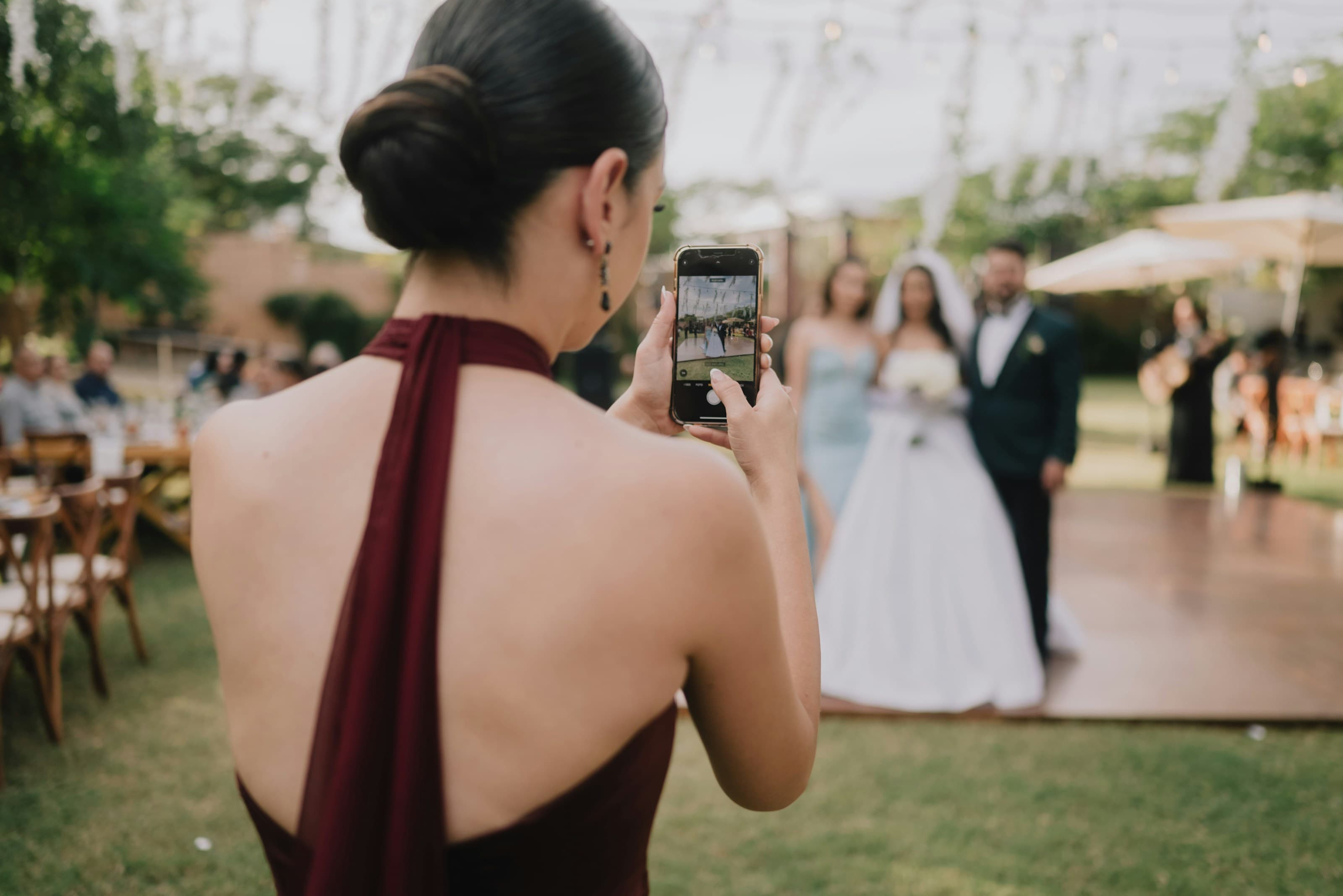
POV recreates the disposable-camera night better than anyone: guests shoot through a shared event camera, and the host can cap how many photos each guest gets, which is exactly the constraint that made film cameras fun. Joining is genuinely slick for guests, through iOS App Clips or a web flow on Android, so no guest downloads anything from an app store; the host of a personal event does install POV's app. Pricing is per event and scales by guest count: free for up to 10 guests, then $4.99 for 25, $14.99 for 50, $34.99 for 100, $64.99 for 175, and $89.99 for 250. POV's live slideshow sits in its Business Essentials add-on ($10 at 100 guests), which is sold only with a separate For Business plan ($49.99 for 100 guests), so a wedding on the personal tiers has no live slideshow. POV now publishes a retention promise, "Photos don’t expire from your gallery!", so the photos are not on a published clock. The trade-offs are where and what: the photos stay on POV's servers rather than in storage you own, POV takes photos only and no guest video, and none of its pages says whether it keeps your originals at full quality. Our full look at POV goes deeper.
GuestPix is the most polished of the hosted galleries, with one-time packages per event from $49 (USD) and, when the dust settles, a download of everything as one original-resolution ZIP. Guests need no app and no account. GuestPix now publishes US-dollar prices: Classic is $49, Signature $89 and the 3-gallery Signature Bundle $119, and a Luxe package at $119 is still sold from its own page. Every paid package includes guest video, a live slideshow and video guestbook messages, with fair use up to 1,000 guests per event. Prices still localize by region; on the Canadian storefront Classic is CA$69.
GuestPix's trade-offs sit on the clock. GuestPix hosts paid galleries for 12 months (Classic and Signature) from the event date, and for 24 months on the Signature Bundle, which its pricing card counts from the date of purchase (its checkout page says the event date). After that, keeping the gallery means a paid Extend plan, $29 to $89 by package for 12 months more; the Signature Bundle's extension price is not published. The free plan takes no video and runs on a clock: 50 photos, with a 30-day upload window, and the free gallery expires 37 days after the event and is deleted at 90 days. More in our GuestPix breakdown.
Kululu keeps the proposition simple: a hosted gallery at a flat one-time price in USD, excluding taxes. Plus at $39 takes 500 uploads in original quality with download-all included; Pro at $99 is unlimited under fair use (10,000 uploads, 5,000 participants), also in original quality, and adds moderation tools and removes Kululu's branding. Every plan, the free one included, now comes with Kululu's Live Photo Wall, a live slideshow for a screen at the event. Kululu's February 2026 update added collaborator roles and a host-set cap on how long a video plays on the Photo Wall. If you want a shared gallery alive around the wedding weekend and run for you, it does the job. The windows are the trade-off, and they are short: the free gallery takes 100 uploads, is active for 24 hours and saved for 7 days, in what Kululu calls standard quality (its own tooltip says the files are compressed), with no download-all; Plus galleries are active 1 month and saved 3 months; Pro galleries are active 3 months and saved 1 year. After that, in Kululu's words, photos are no longer accessible; everything is removed automatically, and Kululu publishes no way to extend that. Our Kululu breakdown has the detail.
WedUploader and Glint (glint.pics), two of the seven, share a different architecture: instead of hosting your photos, they deliver them into your own Google Drive, which means the files never expire.
WedUploader shares Glint's best structural idea: uploads land in your own Google Drive, with no app or login for guests, so the files never expire. Its pricing has changed, though. The pricing page now sells one package, which it calls The Limitless WedUploader Experience, at $49 one-time: it holds the shared gallery, the live slideshow, a guestbook, guest voicemails and moderation, and lists unlimited uploads in original quality, with a seating chart for $19 more that requires it. That page no longer shows a free tier at all, although WedUploader's blog and feature pages still describe free collection, and none of its pages state a free cap, so ask before you plan a whole wedding around it. See our full Glint vs WedUploader comparison.
Glint (glint.pics), the app we make, is a guest photo and video collection service built on storage you own, and it concentrates on the experience around that storage. Every photo and video lands in the couple's own Drive from the first upload, at original quality, with files up to 500 MB by default and 1.5 GB if you raise it. Glint itself stores none of the guests' photos or videos, so the files never expire, and it connects to Drive with one of the most limited permissions Google offers. Guests scan a QR code and upload from the browser, with no app and no accounts; hosts get a live dashboard and a print-ready QR code (PNG or SVG) on every plan. Glint's Event Pass adds the full QR designer (four presets, four dot shapes, three corner styles, custom colors and a center logo), a shared gallery guests can browse and a full-screen slideshow for a TV or projector at the event. The gallery and the slideshow stream from that same Drive folder rather than a copy Glint keeps.
Glint lets guests add their name to what they send, and the host can make the name required. Guests can also leave a message of up to 500 characters, a field that is on by default and that the host can switch off. On every plan the host sees each guest's name and message with their uploads on the live dashboard. The shared gallery shows them with each photo and video, and the slideshow can too. Every plan can also put a cover photo on the guest upload page, and the Event Pass adds custom colors for the upload page and the gallery, with no Glint branding on the guest upload page.
Glint's shared gallery has its own link, separate from the upload QR code, and stays off until the host turns it on. The host chooses who it is for (view and upload, view only, or upload only), can add a 4 to 6 digit access code that each phone remembers, and can let guests heart their favorites and download the full-quality original of any photo or video. Once the event is over, a Glint host can switch the gallery to view only, which closes uploads while guests keep browsing for the rest of the event's 12 months.
Glint's slideshow runs in any browser, so a smart TV or a laptop on HDMI is enough, and a new upload reaches the screen about twenty seconds after a guest sends it while photos are flowing. The host sets the pace (five, eight or twelve seconds a photo), chooses photos only or plays videos in full, and decides whether to keep the QR code in the corner and whether each photo carries the guest's name and message; written messages also fill the screen as quote cards between the photos, and every so often the QR code gets a full screen of its own for guests to scan. On every plan, the host can hide any upload from the dashboard, one at a time or in bulk, and a hidden upload leaves the gallery and the slideshow.
Glint sends uploads over a few megabytes in resumable pieces and retries them automatically, so a weak venue signal pauses a large video instead of losing it, and a page that reloads mid-upload picks up where it stopped rather than starting again whenever the browser still holds the file. Glint's Event Pass is a flat $29 that does not scale with your guest list, with no cheaper paid plan in this guide from 100 guests up. The Pass is also the lowest price in this guide for the full set (guest photo and video uploads, original quality, a download of everything, and a live slideshow). Glint's free plan collects 50 uploads over 30 days, with the live dashboard, video uploads and the full per-file size already included. One Event Pass then unlocks unlimited uploads over 12 months and every other Glint feature, with no add-ons, no subscription and no extension fee, and a host with several events can take the Event Bundle: 3 events for $45, with slots that never expire. Rather than make claims about the roadmap, the journal carries the dated record of what has shipped. Details are on the pricing page, and the case for never letting photos expire is made in full in our manifesto on expiry.
GuestCam's quiet strength is that it keeps your originals and exports them, which not every hosted gallery can say. Guests need no app and no sign-up, and both plans are one-time: Standard at $49 buys a 6-month upload window with 12 months of storage; Premium at $97 buys a 12-month upload window, 14 months of storage, and 6 main galleries, each with its own QR code, which suits a wedding surrounded by showers, parties, and a honeymoon. Both plans include a ZIP of everything in original quality, a live slideshow and an audio guestbook; face search (MagicFind) is a $45 add-on, and prices localize by region. The trade-offs: there is no free tier on their pricing page, and we could not confirm from their public pages what happens once the storage window ends, so ask before you rely on it as a long-term home.
Wedibox sits comfortably between the quick galleries and the longer archives, with one-time plans from $29 to $79 and storage for 1 year (Embed and Wedding) or 2 years (All-In-One and Embed Premium). Guests need no app and no account, there is a free plan of 50 photo uploads (no video) to try it with, and the paid plans are reasonable: $29 for Embed, a widget for a wedding website you already have, with a 3-month upload window and 1 year of storage but no live slideshow; $49 for the Wedding plan, a 6-month upload window with 1 year of storage; or $79 for All-In-One, a 1-year upload window and a 2-year gallery. Wedding and All-In-One add a live slideshow, an audio guestbook and what Wedibox calls an original-quality ZIP, though its guest help says larger photos are compressed before upload. The trade-offs are the familiar hosted ones: the clock still exists, just further out, extensions are priced only inside its app, and its own pages state the free plan's storage three different ways (its pricing page: a year after the event, for every plan; its help center's plan table: none; its help center's free-plan answer: the free plan does not expire).
This table compares all seven wedding photo sharing apps, Glint (glint.pics) included, on pricing, free tier, storage, retention, guest experience, download-all, live slideshow and what costs extra. Apps are listed in the order they appear above, not ranked.
| App | Pricing model | Free tier | Where photos live | Retention / expiry | Guest experience | Download-all | Live slideshow | What costs extra |
|---|---|---|---|---|---|---|---|---|
| POV | Per event, by guest count: $4.99 (25) to $89.99 (250) | Free up to 10 guests | Hosted by POV | POV says "Photos don’t expire from your gallery!"; the photos stay hosted by POV | iOS App Clips or Android web; no app-store download for guests (a personal event's host installs POV's app) | All images, from the album; original quality not stated | Business Essentials add-on, For Business plan only: $59.99 at 100 guests | More guests means a bigger tier; the live slideshow needs the Business Essentials add-on ($10 at 100 guests) on the For Business plan |
| GuestPix | One-time (USD): $49 Classic, $89 Signature, $119 Signature Bundle; prices vary by region (CA$69 for Classic on the Canadian storefront) | 50 photos, no video; 30-day upload window | Hosted by GuestPix | Paid: 12 months (Classic and Signature) or 24 months (Signature Bundle), then Extend at $29 to $89 by package for 12 months more (the Bundle's extension price is not published). Free: expires 37 days after the event, deleted at 90 days | No app, no account | Original-resolution ZIP | Every paid package, from $49 | Video needs a paid package (from $49); colors and fonts $10 on Classic; Extend $29 to $89 |
| Kululu | One-time (USD, excluding taxes): $39 Plus, $99 Pro | 100 uploads; active 24 hours, saved 7 days; standard quality | Hosted by Kululu | Saved 3 months (Plus) or 1 year (Pro); then "no longer accessible" | No app, no account; upload caps by tier: 100, 500, or fair-use unlimited | Plus and Pro only, in original quality | Every plan, as Kululu's Live Photo Wall; a free gallery is active for 24 hours and keeps uploads in what Kululu calls standard quality, with original quality from Plus ($39) | Original quality and download-all need Plus ($39); removing Kululu's branding needs Pro ($99); no published extension past the saved period |
| WedUploader | One-time: $49 premium package, plus a $19 add-on that requires it | None on its pricing page; its blog still describes free collection, cap not stated | Your own Google Drive | The files never expire | No app, no login | Files are already in your Drive | In the $49 premium package | The shared gallery and live slideshow need the $49 package; a $19 add-on requires that package first |
| Glint | Free plan + one-time $29 Event Pass with unlimited uploads for 12 months, flat at any guest count; or the Event Bundle, 3 events for $45, with slots that never expire | 50 photo and video uploads over 30 days, at original quality and kept in your own Drive for good; live dashboard included | Your own Google Drive, from the first upload | Glint stores none of the photos or videos, so the files never expire | Scan a QR code or open the link in Safari, Chrome or whatever browser the phone already has; no app, no account, no Google account; iPhone HEIC photos upload as untouched originals; on Android, one tap out of Instagram's or Facebook's in-app browser | Every file is already in your Drive at original quality, where you can download the whole event folder at once, free plan included; the shared gallery (Event Pass) can also let guests download the full-quality original of any photo or video | Included in the $29 Event Pass, with no cheaper paid plan in this guide from 100 guests up: runs in any browser on a TV or projector, shows a new upload about twenty seconds after a guest sends it while photos are flowing, and can play videos in full and show guests' names and messages | Nothing: one Event Pass unlocks every feature, with no add-ons, no subscription and no storage or extension fee |
| GuestCam | One-time: $49 Standard or $97 Premium; prices vary by region | None on their pricing page | Hosted by GuestCam | Uploads 6 months / storage 12 months ($49); uploads 12 months / storage 14 months, 6 main galleries ($97); after that, not published | No app, no sign-up | Originals kept and exported, as one ZIP | Both plans, from $49 | The 12-month upload window and 14 months of storage need Premium ($97); paid add-ons on either plan, one of them $45 per event |
| Wedibox | One-time (USD): $29 Embed, $49 Wedding or $79 All-In-One (Embed Premium $49) | 50 photo uploads, no video; its pages state the storage three different ways | Hosted by Wedibox | Storage for 1 year (Embed and Wedding) or 2 years (All-In-One and Embed Premium); extensions priced only in its app | No app, no account | What Wedibox calls an original-quality ZIP, on Wedding and up; full-quality downloads on Embed | Wedding plan and up, from $49; not Free or Embed | Video needs a paid plan (Embed, $29); the live slideshow and the ZIP need Wedding ($49); a 12-month upload window comes with Embed Premium ($49) or All-In-One ($79); extensions priced in its app |
Verified from each company's published pages on , except where a cell or sentence says otherwise. Prices geo-localize and promotions come and go; check the current page before buying.
For a 100-guest wedding, the full set means four things: guest photo and video uploads, original quality, a download of everything, and a live slideshow. Glint (glint.pics) includes all four in one $29 Event Pass, flat at any guest count, while the cheapest verified full set among the six others is Kululu Plus at $39. Below is the cheapest published way to get all four at each app, with what the price leaves out.
- POV
- No full set (closest $59.99)
- The closest purchase is POV For Business, up to 100 guests plus POV Business Essentials, at $59.99, but it lacks guest video uploads, and POV's pages do not state original quality. No POV page offers guest video, so no purchase covers the set. The personal 100-guest tier ($34.99) cannot add Business Essentials, so it has no live slideshow. POV says photos never expire from its gallery; they stay hosted by POV.
- GuestPix
- $49 for GuestPix Classic
- GuestPix Classic covers all four. Hosting runs 12 months from the event date; Extend Classic ($29) buys 12 months more. Fair use up to 1,000 guests per event.
- Kululu
- $39 for Kululu Plus
- Kululu Plus covers all four. Plus caps the whole event at 500 uploads; Pro ($99, or $60 to upgrade from Plus) removes the cap. The price excludes taxes. Uploads are saved for 3 months, then removed automatically; Kululu publishes no extension.
- WedUploader
- $49 for The Limitless WedUploader Experience
- The Limitless WedUploader Experience covers all four. The download of everything is Google Drive's own: the files are already in the host's Drive.
- Glint
- $29 for the Event Pass
- One Event Pass covers all four at any guest count: guest photo and video uploads, original quality straight into your own Google Drive, the live slideshow, and the download of everything at original quality, with nothing to export before a deadline, because every file is already in your Drive, where you can download the whole event folder at once. Uploads are unlimited and stay open for 12 months from the day the event is created, the shared gallery can also let guests download the full-quality original of any photo or video, and the files in your Drive never expire.
- GuestCam
- $49 for GuestCam Standard
- GuestCam Standard covers all four. Uploads for 6 months and storage for 12 months from the event date; what happens after is not published.
- Wedibox
- $49 for Wedibox Wedding
- Wedibox Wedding covers all four. Wedibox's guest help says photos over 4 MB are compressed before upload, which its pricing page's original-quality ZIP does not mention. Uploads for 6 months and storage for 1 year from activation; extensions are priced only in the app. Embed ($29) costs less but has no live slideshow.
Each figure is what that company's own pages charged on , before any discount code. A total is shown only when every part is confirmed on the company's own pages; otherwise the cell says there is no full set, or that it is not verified, and names the closest purchase.
Strip away the feature lists and the choice between these seven wedding photo sharing apps comes down to three questions. Answer them before you look at a single price.
Who owns the files?
If photos live on the service's servers, you are renting access to your own memories. If they land in storage you control, they are simply yours. This one question separates the seven apps below more cleanly than any feature list.
What happens when the window closes?
Most hosted galleries are quietly built around a clock. Ask what your collection looks like once it runs out: still there, behind an extension fee, or gone. The honest services publish the answer; be wary of any that do not.
What do guests have to install?
Every app, account, or login you put between a guest and the upload button costs you photos, especially from older relatives. The best services in this list ask for nothing: scan or tap, choose photos, done.
If the second question is the one that stops you, you are not alone; it is the reason this category needs an honest guide at all. We wrote a longer piece on why wedding photos should never come with a deadline, with every expiry policy in this guide laid out in one table.
What is the best wedding photo sharing app in 2026?
There is no single best wedding photo sharing app in 2026, only the best fit among seven that do the job well: POV, GuestPix, Kululu, WedUploader, Glint (glint.pics), GuestCam and Wedibox, which differ most in what they cost, where the photos live and how long they last. POV is built for the disposable-camera party vibe. GuestPix and Wedibox are polished hosted galleries with one-time pricing, Kululu is a flat-price hosted gallery, and GuestCam is a hosted gallery that keeps originals. WedUploader and Glint (glint.pics) send everything to your own Google Drive, so the files never expire. Glint delivers every photo and video there at original quality, with no app and no account for guests, and one $29 Event Pass unlocks every feature, the shared gallery and live slideshow included, flat at any guest count and with no cheaper paid plan in this guide from 100 guests up, and it is the lowest price in this guide for the full set (guest photo and video uploads, original quality, a download of everything, and a live slideshow). Decide who should own the files and how long they should last, and the right app picks itself.
Which wedding photo sharing apps are actually free?
Glint (glint.pics) has a free plan without an expiry clock on the photos themselves: it collects up to 50 photo and video uploads over 30 days, every one at original quality and at the same per-file size as a paid event, includes the live dashboard, and delivers each upload straight to your own Google Drive, where it stays yours for good. WedUploader also delivers to your own Google Drive, so nothing it collects expires, but its pricing page no longer shows a free tier; its blog and feature pages still describe free collection, without stating a cap. Unlike Glint, the other free plans take photos only, compress the files or let them expire: GuestPix's free plan takes 50 photos and no video, with a 30-day upload window, and the gallery expires 37 days after the event; Kululu's free gallery is active for 24 hours and saved for 7 days, in what it calls standard quality (its own tooltip says the files are compressed); Wedibox's free plan takes 50 photo uploads and no video; and POV is free for up to 10 guests and takes no guest video on any plan. GuestCam has no free plan.
Do wedding photo sharing apps delete your photos?
Most hosted wedding photo sharing apps run on a clock: GuestPix, Kululu, GuestCam and Wedibox each publish a hosting or storage window, from 7 days on Kululu's free plan to 2 years on Wedibox All-In-One, while WedUploader and Glint (glint.pics) deliver to your own Google Drive, where the files never expire. GuestPix hosts paid galleries for 12 months (Classic and Signature) from the event date, or 24 months on the Signature Bundle, which its pricing card counts from the date of purchase; after that it sells Extend plans at $29 to $89 for 12 months more (the Signature Bundle's extension price is not published), and a free GuestPix gallery expires 37 days after the event and is deleted at 90 days. Kululu saves photos for 7 days to 1 year depending on the plan, after which, in Kululu's words, they are no longer accessible, and it publishes no way to keep them longer. GuestCam publishes 12-month and 14-month storage windows and does not publish what happens after them. Wedibox stores paid galleries for 1 year (Embed and Wedding) or 2 years (All-In-One and Embed Premium), and prices extensions only inside its app. POV is the hosted exception: it now says "Photos don’t expire from your gallery!", though the photos stay on POV's servers rather than in storage you own. Services that deliver to your own storage, like WedUploader and Glint, put no clock on the files themselves: they are in your own Drive from the first upload and never expire.
Do guests need to install an app to share wedding photos?
For most of the seven wedding photo sharing apps in this guide, no. Glint (glint.pics), GuestPix, Kululu, WedUploader, GuestCam and Wedibox all state that guests need no app and no account; everything happens in the phone's browser. With Glint, guests need no Google account either, even though every upload lands in the host's own Google Drive: the upload page works in Safari, Chrome or whatever browser the phone already has, iPhone HEIC photos upload as untouched originals, a guest who opens the link inside Instagram's or Facebook's in-app browser on Android gets one tap to their own browser, and the page asks the phone to keep its screen on while photos upload. POV works through iOS App Clips and an Android web flow, so there is no app-store download for POV's guests either, though a host creating a personal POV event installs POV's app. That matters more than it sounds: every extra step between a guest and the upload button costs you photos.
Which wedding photo sharing apps save to your own Google Drive?
Two of the seven apps in this guide save to your own Google Drive: WedUploader and Glint (glint.pics). Both deliver guest uploads into the host's own Google Drive instead of hosting them, so the files never expire and are already yours to keep, share or download. Glint connects with Google's drive.file permission, one of the most limited permissions Google offers, so it can see only the files and folders it creates, never the rest of your Drive, and Glint itself stores none of your guests' photos or videos; its free plan already delivers to your Drive at original quality, and one $29 Event Pass adds unlimited photo and video uploads, the shared gallery and the live slideshow, flat at any guest count. WedUploader lists unlimited photo and video uploads to your Google Drive in its $49 premium package, and its pricing page shows no free tier. POV, GuestPix, Kululu, GuestCam and Wedibox host the photos on their own servers. There is more on how it works in our guide to wedding photos in Google Drive.
What is the cheapest wedding photo sharing app for 100 or more guests?
The Event Pass from Glint (glint.pics), at $29 one-time, is the lowest price in this guide for the full set (guest photo and video uploads, original quality, a download of everything, and a live slideshow), and no paid plan in this guide costs less from 100 guests up; the Pass stays $29 at any guest count. One competitor plan that can host 100 guests costs the same: Wedibox Embed, at $29, which has no live slideshow, gives a 3-month upload window rather than the Event Pass's 12 months, and keeps the gallery for 1 year, while every file sent to Glint lands in your own Google Drive and never expires. Among the six other apps in this guide, the cheapest verified competitor price for the full set is Kululu Plus at $39, while Glint's Event Pass includes the full set for $29. POV's two smallest paid tiers, at $4.99 for 25 guests and $14.99 for 50, are the only paid plans in this guide that cost less than the Pass, and they take photos only, with no guest video, and cannot add POV's live slideshow, both of which the Pass includes; past 50 guests, POV's next tier is $34.99 for 100, so no paid plan in this guide costs less than the Pass for any guest list over 50. Glint's free plan costs nothing and already takes photos and videos at original quality, up to 50 uploads over 30 days, before you buy anything.
Which wedding photo sharing apps can show photos live on a screen?
All seven apps in this guide offer a live slideshow, on different terms. Glint (glint.pics) includes its live slideshow in the $29 Event Pass, flat at any guest count and with no cheaper paid plan in this guide from 100 guests up: it runs in any browser on a TV or projector, a new upload reaches the screen about twenty seconds after a guest sends it while photos are flowing (up to a minute or so in a lull), and the host sets the pace (five, eight or twelve seconds a photo), can show photos only or play videos in full, and can show the QR code and guests' names and messages, with written messages also filling the screen as quote cards between the photos. Among the others, Kululu includes its Live Photo Wall on every plan, though a free Kululu gallery is active for 24 hours, is saved for 7 days and keeps uploads in what Kululu calls standard quality, with original quality from Plus ($39), while every photo and video a guest sends to Glint lands in your own Google Drive at original quality and stays yours for good. GuestCam includes one on both plans, from $49. GuestPix includes it in every paid package, from $49. WedUploader puts it in its $49 premium package. Wedibox includes it on the Wedding plan and up, from $49, but not on its free plan or Embed. POV sells it only in the Business Essentials add-on on its For Business plan, $59.99 in all at 100 guests, and its personal tiers cannot add it.
Which wedding photo sharing apps take guest videos on a free plan?
Glint (glint.pics) does: its free plan takes guest photos and videos, up to 50 uploads over 30 days, at the same per-file size as a paid event (500 MB by default, which the host can raise per event to 1.5 GB in Settings), and every video lands in your own Google Drive at original quality, where it stays yours for good. Glint sends anything over a few megabytes in resumable pieces that retry automatically, so a weak venue signal pauses a long video instead of losing it. Kululu's free plan also takes video, in what it calls standard quality (its own tooltip says the files are compressed), and its free gallery is active for 24 hours and saved for 7 days. GuestPix's and Wedibox's free plans take photos only, POV takes no guest video on any plan, WedUploader takes video in its premium package and its pricing page shows no free tier, and GuestCam has no free plan.
Which wedding photo sharing apps charge extra for features?
Glint (glint.pics) keeps it to one purchase: one $29 Event Pass unlocks every Glint feature, flat at any guest count, with no add-ons, no subscription and no storage or extension fee, and the files never expire because they live in your own Google Drive. Glint's free plan collects up to 50 uploads over 30 days and already includes the live dashboard, video uploads, original quality and the download of everything, since every file is already in your own Drive. The Pass adds unlimited uploads for 12 months, the shared gallery, the live slideshow, the full QR designer, custom guest-page colors and no Glint branding on the guest upload page, and a host with several events can take the Event Bundle instead: 3 events for $45, with slots that never expire. Each of the six other apps in this guide (POV, GuestPix, Kululu, WedUploader, GuestCam, and Wedibox) charges more somewhere beyond its first paid plan. POV prices every event by guest count, and its live slideshow comes only with the Business Essentials add-on ($10 at 100 guests) on its separate For Business plan ($49.99 for 100 guests). GuestPix keeps guest video to its paid packages (from $49), charges $10 for custom colors and fonts on Classic, and sells 12 months more hosting for $29 to $89 by package (the Signature Bundle's extension price is not published). Kululu keeps original quality and download-all to Plus ($39) and removing its branding to Pro ($99), and publishes no way to keep photos past the saved period. WedUploader's pricing page shows no free tier; it puts its shared gallery and live slideshow in one $49 premium package and sells a $19 add-on that requires that package first. GuestCam keeps its 12-month upload window and 14 months of storage to Premium ($97) and sells paid add-ons on top of either plan, one of them $45 per event. Wedibox keeps guest video to its paid plans (from $29), keeps its live slideshow and what it calls an original-quality ZIP to the Wedding plan ($49) and up, and prices extensions only inside its app.
How were the facts in this comparison verified?
Glint (glint.pics) wrote this guide and checked every competitor claim on it against that company's own published pricing and help pages, except where a cell or sentence says otherwise. The October 13, 2026 pass re-checked all seven services this site compares, the six competitors against their own pricing and help pages and Glint against its own product, and re-read every competitor figure printed here. The only wedding-plan prices it could not read are ones the companies do not publish (GuestPix's Signature Bundle extension, and Wedibox's extensions and the "2-year" editions of its Wedding and All-In-One plans, which its help center lists but its pricing page does not), so no page prints a figure for any of them. The Kululu figures here are the one-time prices its pricing page charged at that check, excluding taxes; it no longer shows the 50 percent promotion or the crossed-out list prices that earlier checks recorded. Prices and plans change, and some are moving targets: GuestPix and GuestCam localize their prices by region. If you spot something that has since changed, tell us and we will correct it.
Is Glint free?
Glint has a free plan that collects up to 50 photo and video uploads over 30 days, and a one-time $29 Event Pass for unlimited uploads and the full feature set. The Pass is flat: it costs the same for 250 guests as for 25. POV, the only plan here priced by guest count, is cheaper for a smaller party, at $4.99 for 25 guests and $14.99 for 50, though those tiers take photos only, with no guest video, and cannot add POV's live slideshow, both of which the Pass includes; its larger tiers run from $34.99 for 100 guests to $89.99 for 250, while Glint stays $29 at any size. No paid plan in this guide costs less than the Pass for any guest list over 50, and the Pass is the lowest price in this guide for the full set (guest photo and video uploads, original quality, a download of everything, and a live slideshow). Either way, every photo and video lands in your own Google Drive at original quality, so there is never a storage subscription from Glint, and the files never expire. The honest trade-off: the storage is yours, so a very large wedding shot mostly on video can outgrow Google's free 15GB, and topping that up is a cost the fully hosted galleries absorb for you.